Better Taste for a Tiny Camera
What a keychain camera does to a photograph, and how to give it film
The Charmera’s firmware knows seven photo sizes. The largest is 4960 × 3720, about eighteen and a half megapixels. Every one of them is made from the same 800 × 600 image.
Kodak’s Charmera is a digital camera small enough to hang from a keychain. It has a fixed lens, a small noisy sensor, a direct flash and almost no settings. I want it to pass one test: a moment happens, I press the shutter without ceremony, and later the JPEG is something worth keeping.
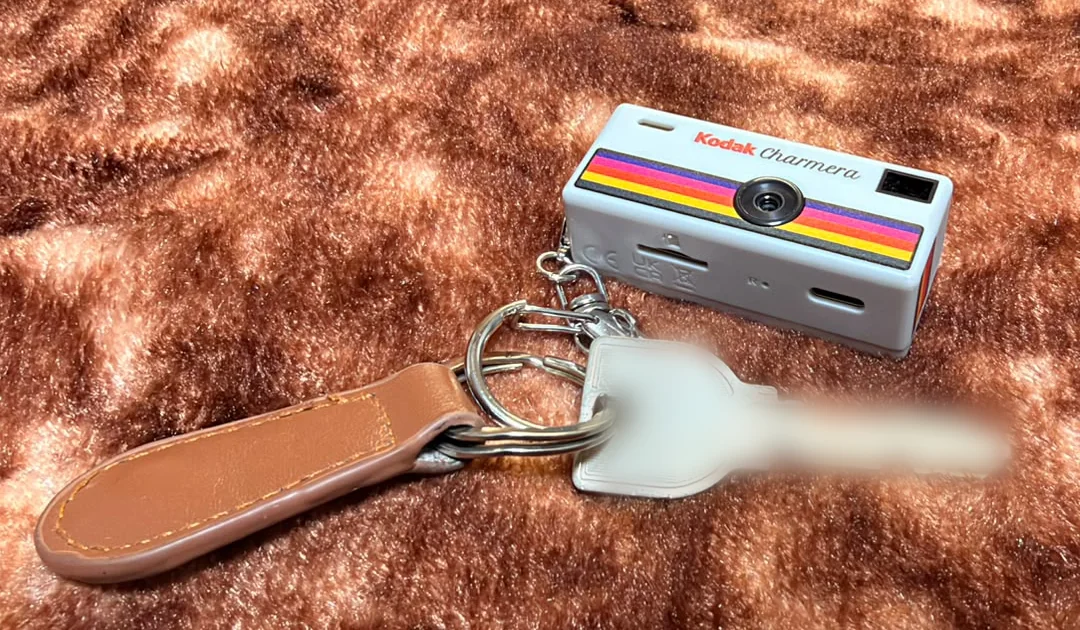
That test sent me through film emulation, colour science and a 2 MiB firmware image. The rule I settled on early was:
Don’t remove the Charmera from the photograph. Give the Charmera better taste.
What happens when you press the shutter
Project Sirius published a dump of the Charmera’s firmware. It runs on a Generalplus GPCV2247F, an ARM7 chip. There is no Linux or shell to log into, so understanding it meant disassembling it. I ran the original instructions in an emulator, one routine at a time, with the hardware around them modelled explicitly. That turned the dump into a fairly exact account of how a still photograph is made.
Step through it. The yellow box follows the same patch of the scene, and the loupe shows that patch at each stage’s own resolution.
The middle stage is the surprise. The sensor runs a 1280 × 720 mode. The firmware keeps the centre 960 × 720 and resamples it onto 480,000 pixels. Whatever detail the photograph has, it has at 800 × 600. The saved file is 1440 × 1080 by default. The larger configurations are enlargements of the same surface, and I haven’t established that the menu can even reach all of them.
This was the first fact that changed the project. A film renderer for this camera never has to touch more than 480,000 pixels, and the firmware already has a place, at that size, where it runs CPU code over the whole image. I’ll come back to that place, the hook, because everything depends on it.
What comes out
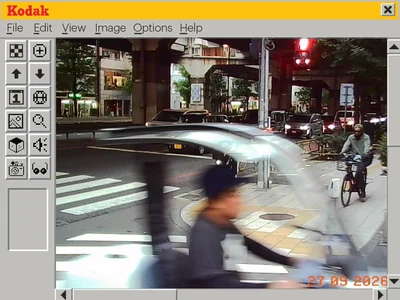
Here are two photographs from my Charmera, both from 27 September 2026.
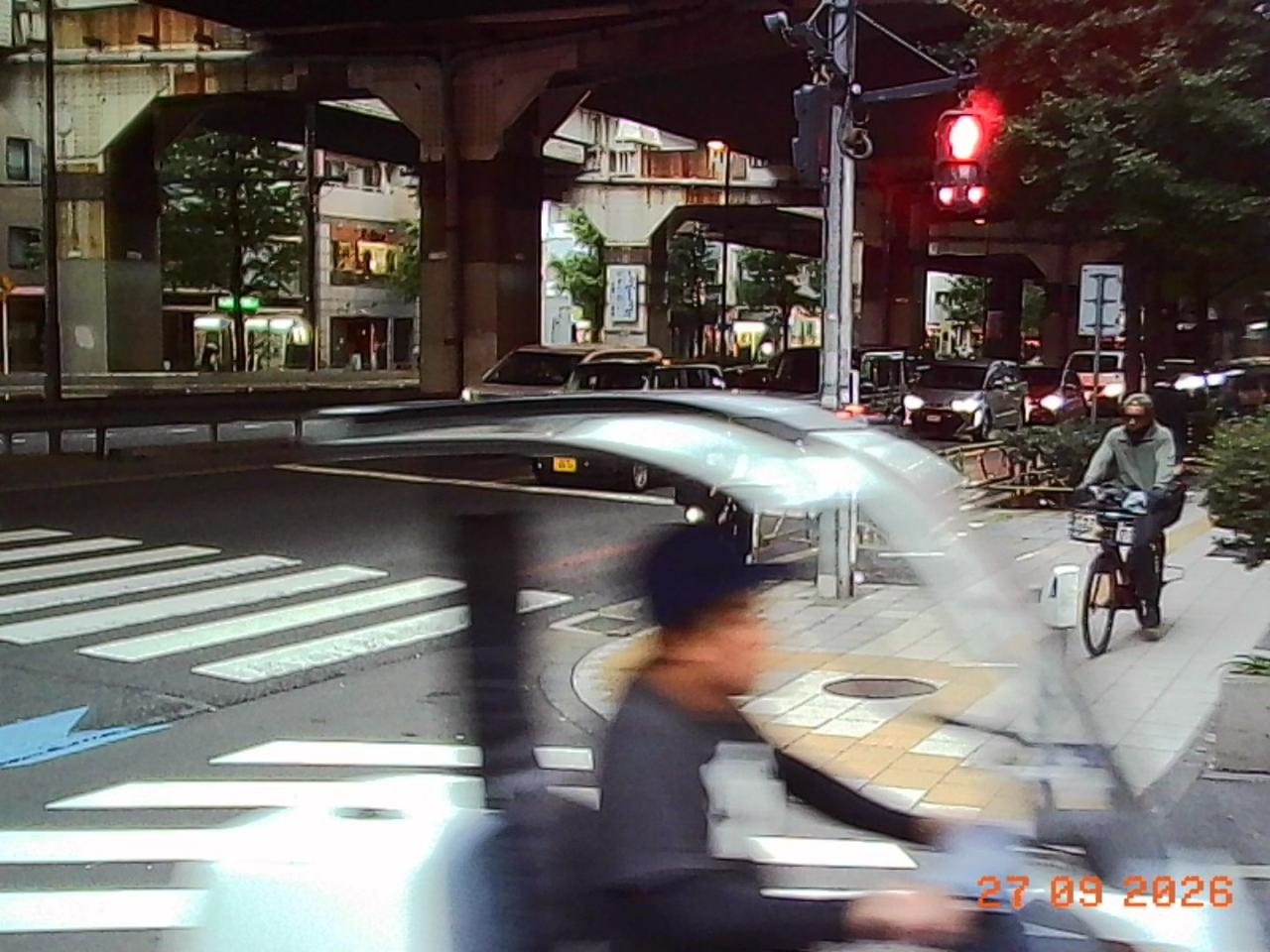
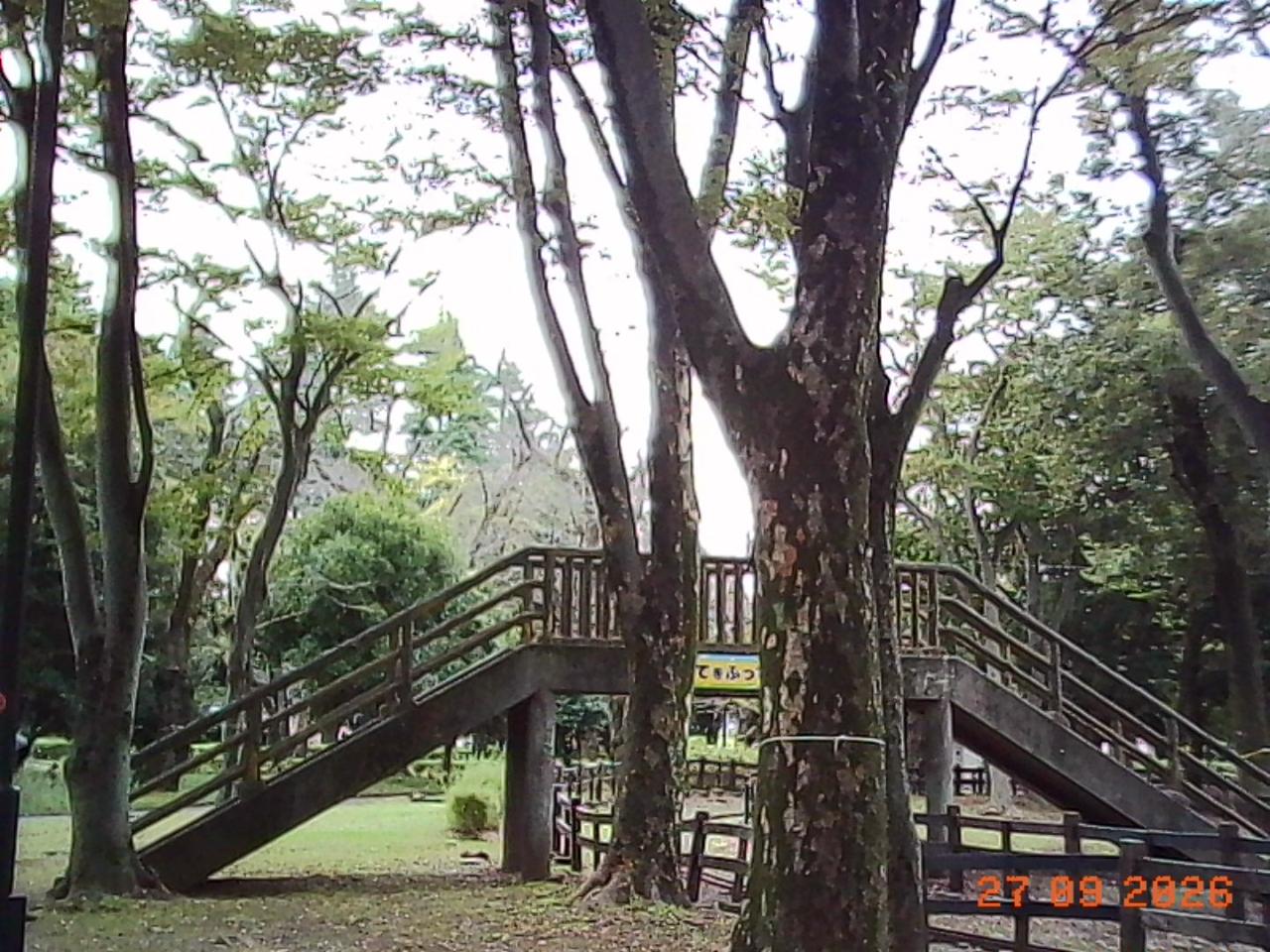
They look like a Charmera. The red light glows, the cyclist smears across a slow shutter, the shadows go green-black, and the branches carry bright halos against the white sky, probably from in-camera sharpening. And in the corner sits the orange date stamp.
Do they really hold only 800 × 600 of detail? Recompression can remove detail but can’t add it, so these copies can still answer that. I measured how much detail each photo holds at every scale, from coarse shapes to the finest texture. As a control, I sent four of my phone photos through the same resizing and recompression, once as they are and once squeezed through 800 × 600 first.
- Charmera (2 photos)
- Phone through 800 × 600 (4)
- Phone (4)
The measurement could not be loaded.
Show each photo as a table
| Source | Photo | 200–300 | 350–400 | 400–500 |
|---|
Just short of that limit, my phone photos keep 26–73% as much energy as in their coarse structure. The phone photos squeezed through 800 × 600 keep 3–13%. The Charmera photos keep under 2%, less than the squeezed phone photos. That is consistent with the firmware’s 800 × 600 surface, with the lens and in-camera noise reduction taking a little more. On its own it can’t say which of those sets the limit, but the firmware already has: nothing finer than 800 × 600 survives.
A look is a process, not a tint
Why do film photographs, and the cameras that imitate them, feel coherent when so many digital “film filters” feel cheap?
Part of the answer has nothing to do with pixels. Film carries nostalgia, ritual, brand attachment and a certain amount of taste signalling. Those are real sources of value, but they don’t help a camera render a better photograph. So I asked a narrower question: if you remove the brand and the identity from the evaluation, which properties of the image are still beautiful and worth stealing?
The answer is that a film look is a whole picture-formation process:
- a nonlinear tone response, especially how highlights roll off rather than clip;
- saturation and lightness that depend on hue, so a sky and a face are not treated alike;
- interactions between colour channels;
- particular treatment of memory colours such as skin, foliage and sky;
- exposure and white-balance choices;
- grain, halation around bright light, and local contrast;
- the print, scan or display that turns a negative into a picture.
A three-dimensional lookup table (LUT) maps every input colour to an output colour. It can hold the first four items above, which carry a surprising amount of a look. It cannot hold grain, glow, sharpening, or any decision that depends on the scene. A film process is therefore capture behaviour + global tone and colour + optional spatial effects + output, and only the second term is a LUT.
The Charmera is a good substrate because its weaknesses are already aesthetic material. Low resolution reads as softness. Sensor noise is texture. Limited dynamic range forces strong tonal decisions. Direct flash is the consumer-snapshot look. Large-camera film simulations add some of those artifacts deliberately. The Charmera already has them, so the computation should go to what it lacks: coherent tone, colour and highlight behaviour.
Seven photographic worlds
The camera ships with filters named Warm, Cool and B&W. I wanted modes named for the job they do instead, with a film stock as each one’s starting teacher rather than its target:
| Mode | When you’d use it | Starting teacher |
|---|---|---|
| FILM | Leave it here most of the time | Kodak Gold 200 |
| PEOPLE | Friends, dates, skin, highlights | Portra |
| TOKYO | Stations, konbini, signs, cloudy streets | Superia-like proxy |
| NIGHT | Neon, tungsten, mixed LED | CineStill 800T |
| B&W | Hard sun, direct flash, documentary | Tri-X |
| VIVID | Colour as the subject | Velvia |
| EXPIRED | Surprise me | Seeded random drift |
The seven were chosen from a bank of twenty-seven candidates, with several variants each of Portra, Superia, Tri-X and expired instant film. The goal was a portfolio of jobs, not seven famous names, and certainly not seven slightly different warm presets.
Each mode carries a reason to remove it. PEOPLE goes if FILM makes people look just as good. VIVID fails if it is only a saturation slider. EXPIRED is not allowed to be a fixed LUT, because uncertainty is the point of expired film: every frame should drift a little differently. The stock names stay in the notes. The camera’s screen would only ever say FILM, PEOPLE, TOKYO and so on.
The darkroom
This runs entirely in your browser. Pick a mode and a scene, then drag across the image to compare. The first two scenes are the real Charmera photos above. You can also use a photo of your own; it never leaves your device.
Film modes
Stock Pixel filters
A real Charmera photo. The look is applied after the camera's own rendering and date stamp, so the stamp is tinted too; inside the camera, the hook runs before the stamp is drawn.
Scene
A few things are worth trying.
NIGHT on the street photo or the night scene. The glow around the red light and the lit branches does not come from the LUT. A LUT maps each pixel independently, so it can’t know that a pixel sits next to a bright one. The glow is a small spatial step: find strong highlights at quarter resolution, blur them, and keep only the halo that spills past their edges, tinted red the way film’s red layer catches light scattered back from its base. Night is where the sensor fails most technically, so it is where the look has to work hardest.
EXPIRED, then Shoot again. Each frame gets its own seeded white-balance shift, shadow tint, contrast change and fade.
Any stock Pixel filter on the shrine. These are the camera’s own filters, reimplemented from its original loop; more on them below. Look closely at the edges.
The filters it already has
The camera’s existing filters come in two kinds, and the difference between them decided the architecture.
Standard, Warm, Cool and B&W are hardware settings. They set offsets and scales on the colour processor’s chroma channels, and B&W zeroes them. Standard isn’t even a fixed setting. Its saturation steps down as the scene gets darker, through codes 40, 37, 35, 32 and 30. If 32 is unity, that’s about 1.25× in good light falling to about 0.94× in the dark, probably to keep chroma noise down. Nothing in the menu hints at it.
The four Pixel filters are software. A CPU loop walks the image two pixels at a time. Each pixel whose brightness is 124 or more becomes a flat palette colour; anything darker becomes black. I wanted to be sure, so I ran the original loop on test patterns in the emulator and checked the darkroom’s version against its output, including the exact threshold.
That test turned up a quirk. The two pixels in each pair share one colour pair, but each pixel writes only its own half of it. When a bright pixel sits next to a dark one, the pair ends up with half a palette colour, and edges grow thin fringes in colours that aren’t in the palette. The retro filters have a small, accidental chromatic aberration.
The Pixel filters are crude, but their existence is the most useful finding in the whole project. They prove that the firmware already pauses after capture to run arbitrary CPU code over every pixel. That happens before the frame, the date and the JPEG encoder, which is exactly where a film renderer would go. Executing the original capture dispatcher found a candidate insertion point just after the Pixel path cleans up and just before the overlays. It is a logical location, not yet a patch.
How the camera spends light
Colour is half of a look. The other half is exposure.
The sensor was identified from its own start-up program rather than from photographs of the circuit board. Tracing the real control bus, two GPIO pins bit-banging a camera-control protocol, recovered the 61 register writes the firmware sends at power-on. They are stored as plain byte pairs, register then value, and begin like this:
FD 00  2F 1B  2E 01  33 00  30 2C
FD 01  09 00  0A 78  05 01  06 DA
03 00  04 BB  24 20  …
FD selects a register page. On page 1, registers 03 and 04 hold the integration time and 24 the analog gain. That sequence matched the open-source drivers for the SP140A sensor family. The camera’s live exposure writes landed on the same chip’s integration-time and gain registers.
Auto-exposure doesn’t solve for shutter speed and gain directly. It moves an index along a program line, a table of roughly one-twentieth-stop steps. Each entry says how long to integrate, how much analog gain the sensor applies, and how much digital gain the colour processor adds. There are two tables, one for 50 Hz mains and one for 60 Hz.
- Shutter
- Sensor gain
- Digital gain
The exposure tables could not be loaded.
Show the shutter plateaus as a table
| AE index | Lines | Sensor gain | Digital gain |
|---|
The shape tells you the camera’s priorities. In bright light it only shortens or lengthens the exposure. Once exposures get long enough, integration time is allowed only a few values: multiples of about 240 lines on the 50 Hz table and about 167 on the 60 Hz table. That is the pattern you’d expect from anti-flicker steps of 10 ms and 8.33 ms, which keep fluorescent light from banding. The exact line period hasn’t been measured, though, so the milliseconds are an inference.
Between those steps the camera holds the shutter and raises sensor gain. Then it jumps to the next step and gives most of the gain back, which is the sawtooth where the bands meet. After the longest step, gain is all that’s left. The 50 Hz table also keeps digital gain in reserve for the darkest scenes.
The third column puzzled me for a while. It looked like an unused gain-like number until I followed it to a hardware register: the colour processor’s global gain. The exposure system has three stages, not two. The tables also have small oddities. At one of those jumps on the 50 Hz table, from index 140 to 141, nominal exposure actually falls by about a sixth of a stop. That is real in the codebook, but I haven’t tested whether it matters in practice.
The curve that meters
The most important finding about exposure came from the tone curve.
The camera stores its gamma curve as 128 packed words. The firmware writes them to the colour processor’s gamma memory. It also decodes them into 1,024 values and samples every fourth one into a 256-entry table inside the auto-exposure engine. The engine passes every metering cell through that table before judging brightness. The curve is not only how the photograph looks. It is how the camera decides how bright the scene is.
The stock curve lifts shadows hard: a raw statistic of 16 reads as 63, and 64 reads as 149. Feed the original engine a uniform scene at 64 and it decides to brighten without the curve and to darken with it. The direction flip survived when the test was repeated with the camera’s own configuration: target 120, a metering mode that discards outliers, and the recovered window geometry.
You can’t change the look without changing the exposure. A film curve loaded into the gamma slot would quietly retune auto-exposure for every photograph. That is a strong argument for the hook. A look applied to the already captured 800 × 600 surface leaves metering alone, and exposure can become a deliberate, separate choice per mode. The firmware already has the knob for that: a 13-step table that scales the brightness target from 205 down to 47, around a default of 120. NIGHT, for example, could pick a different step, or accept more noise in exchange for less blur.
Complexity belongs off the camera
Kodak sold its first camera, in 1888, with the line “You press the button, we do the rest.” It came loaded with a hundred exposures; you mailed the whole camera back to Rochester, and the factory developed, printed and reloaded it. The intelligence lived off the camera then too.
The best film renderers today are expensive. Spectral film simulations model the negative and the print from measured data. Learned systems such as Deep Analog infer a whole LUT from a single reference photograph. None of that should run on a keychain.
The architecture I ended up with works like a compiler:
  spectral · learned · tuned
         teacher
            │
            ▼
  offline optimisation
            │
            ▼
tiny deterministic student
            │
            ▼
curve · matrix · AE table
small LUT · residual kernel
The expensive intelligence designs the camera’s behaviour. It does not run for every photograph.
How small can the student be? A 17 × 17 × 17 LUT at 8 bits per channel takes 14,739 bytes per mode, so all seven fit in about 100 KiB. That is affordable in software at the hook. It would be cheaper still if hardware did the work. Generalplus’s related SDKs show a hardware luma curve and a 3 × 3 colour matrix, so I fitted each LUT with exactly that: a 256-entry curve on brightness, followed by a matrix.
| Mode | Curve + matrix vs full LUT |
|---|---|
| B&W | 40.9 dB |
| EXPIRED | 38.6 dB |
| PEOPLE | 35.1 dB |
| TOKYO | 32.4 dB |
| FILM | 32.2 dB |
| NIGHT | 29.4 dB |
| VIVID | 22.0 dB |
Those scores are measured across the whole colour cube. In the darkroom, choose Hardware student and then Show difference to see the same comparison on a real photograph, with the per-photo score underneath. B&W survives almost perfectly; a monochrome look is mostly a tone curve. VIVID is the worst fit by a wide margin, but not where I expected.
Velvia’s character is hue-dependent: it pushes some colours much harder than others, which a brightness curve and a linear matrix cannot express. So I assumed the error would sit in saturated colours. On real photographs it is spread across the whole frame instead. On four of the album photos, VIVID’s student is 9 to 18 levels (out of 255) too bright in the shadows and 8 to 15 too dark in the highlights. It lost contrast. The fit treated every colour in the cube as equally important, so it spent its small budget on saturated extremes that photographs rarely contain, and gave up the contrast that every photograph uses.
That is an evaluation lesson as much as a colour one: the score you optimise decides what you lose. The next fit should weight colours by how often real Charmera photographs contain them. Even then, some modes will live almost entirely in hardware, while others need a software residual at the hook. VIVID will need most of its look there.
Inside the 2 MiB
Everything the camera does, and anything I change, has to live in one 2 MiB flash chip. Here is the whole image as a map. Hover over a region, or focus the map and use the arrow keys, to see what it holds.
- Program
- Resources
- Camera state
- Photos (not shown)
- Final erase
Show every region as a table
| Range | Region | Size | What it holds |
|---|
Most of it is program. The resources hold the UI: icons, menu art, the four frames, a 121 KiB pack whose format nobody has decoded, and some small things you can still play.
 Startup logo, a 160 × 80 JPEG of 3.5 KB
- Power on8 kHz, 8-bit, 0.76 s
- Power off8 kHz, 8-bit, 1.05 s
- IMG11 kHz, 8-bit, 0.50 s
- Click8 kHz, 8-bit, 0.24 s
- Beep11 kHz, 16-bit, 0.18 s
Frames
The four frames are the richest of those resources, and a third kind of look after the hardware filters and the Pixel filters. Here they are, decoded from the firmware and laid over my street photo by the camera’s own rule.
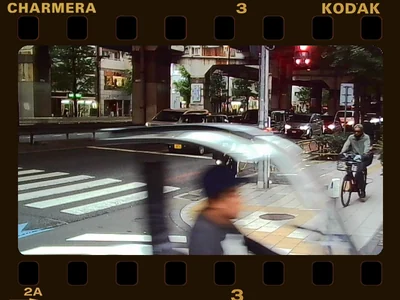
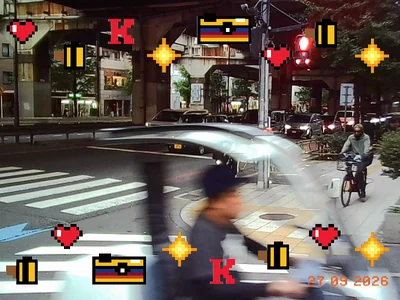
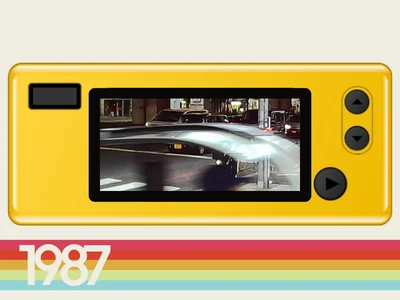
Each frame is an 800 × 600 image in exactly the same row-pair layout as the capture surface. Each is split into three 200-row strips, compressed with DEFLATE behind a GPZP tag.
Frames are drawn after the hook, so a film look would never tint them, and they have no alpha channel. To find out how the camera decides what is see-through, I ran its own frame routine on test patterns. This is the test, four instructions in the routine at 0xEDA4:
ldrh r1, [r0]        ; two lumas
sub  ip, r1, #0x8c00 ; minus 0x8C8C
subs ip, ip, #0x8c   ; (140, 140)
beq  skip            ; 0: keep photo
It walks the image a pixel pair at a time and leaves the photo alone wherever both of the frame’s brightness values are exactly 140. Colour isn’t checked at all. A frame drawn in bright red that happens to have a brightness of 140 would show the photo straight through it.
Every strip also has a fixed slot in flash, between 2 KB and 19 KB. The slots are packed back to back, each just the stock strip rounded up to the next 512-byte sector, so the stock frames fill them almost to the byte. A custom frame with the same layout and compression that fits its slots would change nothing else in the firmware. So here is a frame maker.
Stock frames, from the firmware
Make your own
| Strip | Encoded | Slot | Result |
|---|
Start from a stock frame to see the camera’s own budget in action, then try a template or your own PNG. The table shows whether each strip fits the slot you choose. Detail costs bytes: the middle strips of slots 1 and 3 have only 2 KB, so the middle of those frames has to be almost all see-through. When installation is solved, this part is ready.
The bug that wasn’t
None of this, the film modes or the frames, matters unless a modified firmware can get onto the camera. The camera’s own updater gave me the most instructive mistake of the project.
The firmware looks for a file on the card named JH_5408, followed by a timestamp and a checksum that is simply the sum of the file’s bytes. A community member had already reported that updating this way bricked a camera, which then needed its flash chip reprogrammed directly. I ran the original updater in the emulator with a full 2 MiB image. After writing every block and verifying it, the updater issued one more erase, at an address 64 KiB past the end of the 2 MiB chip. If the flash controller wraps that address around, it erases the block at 64 KiB, which is part of the firmware itself. That looked like a smoking gun.
Then I looked at what else the 2 MiB dump contained. The firmware’s resources end at 0x168E92. Above that sit the camera’s live state: append-only settings records at 0x170000, a saved-photo index at 0x17F000, and two 960 × 720 JPEGs taken by whoever owned the dumped camera. A full dump isn’t an update package. It is software plus one camera’s settings and photographs.
So I asked what a package of only the software would look like; flip the map between the two. Padded to the next 512-byte sector, it ends at 0x169000, and the updater’s mysterious final erase then lands exactly on 0x170000: the settings block. I ran the original settings and photo-index routines on the result. The settings reader finds no valid record, the firmware takes its own existing reset path, and the photo index is rebuilt empty. The final erase looks like a factory reset, not a bug.
Two of my earlier recommendations would have made things worse. Deleting the erase would have removed the reset. A guard I had proposed against short reads would have rejected the final, legitimately shorter read of a resource-sized package. The cause of the reported bricking is still unconfirmed. It needs a real factory update or a before-and-after dump of a failed camera, not more emulation.
The lesson was about evidence. “Preserve every non-blank byte” sounded like the safe success criterion, but it would have preserved someone else’s photographs and broken the reset the update intended.
Being wrong carefully
Reverse engineering depends on the path you took, so I kept the wrong turns as first-class evidence rather than editing them away. A few more:
- “The sensor’s native resolution is 1280 × 720.” This was stated too confidently before the sensor was identified. At that point the evidence only showed a working raster.
- “
sensor_preview_initstarts a task.” It doesn’t. The string is a tag passed to a memory allocator. - “This function is the auto-exposure controller.” It had the right arithmetic but no live callers. The real controller was elsewhere.
- “Digital gain is masked to eight bits.” The instruction clears bits 9 to 15, so values keep nine bits.
- “960 × 720 is a second photo mode.” It is the fallback used when there’s no memory card. It also drops JPEG quality from as high as 85 to 45.
- “Standard is a constant 1.25× saturation.” It adapts with exposure, as described above.
The rules that came out of these were plain ones. Keep what the binary shows separate from what a related SDK suggests, what emulation does, what the community reports and what real hardware does. Don’t promote a function’s name or its first caller into its meaning. Don’t let a plausible architecture harden into fact.
Where it stands
No firmware has been patched or flashed. No look is worth losing the camera, so a verified backup and restore path for my specific unit comes before any installation.
Some smaller things turned up along the way:
- The EXIF date has an extra colon. The camera writes
2026:09:26:22:08:23where the standard wants a space before the time. A small patch fixes it in emulation. - USB memory access is one byte away. The stock handshake grants access level 1; the memory commands require 2. Changing
mov r0, #1to#2opens them in emulation. Getting that byte onto the camera is the same installation problem as everything else.
The open problems are concrete now:
- what automatic white balance does with real scenes rather than empty test statistics;
- which process owns each colour setting, so that an edit doesn’t get overwritten;
- an ARM version of the renderer whose output matches the reference byte for byte, within the hook’s memory and time budget;
- the sensor’s physical response, measured with a deliberately small set of about twelve real scenes rather than a giant benchmark. Two are in this essay; I need the rest, straight off the card.
The first target is one excellent FILM default, end to end, before polishing the other six. The test stays the same: a tiny camera, an ordinary moment, a press of the shutter, and a photograph worth keeping.
This work builds on the Charmera community’s. Project Sirius published the firmware dump. byjp’s teardown identified the chips. In Project Sirius issue #1, swagnastywill had already reverse-engineered the frame format and LChouRepo had reported the USB authorization barrier. MrHDR reported the updater filename, checksum and bricking on r/CharmeraModding. Film teachers and references include spektrafilm, Film Lab, PoLUT, AutoLUT and Deep Analog. Film-stock names are descriptive references; this project has no affiliation with Kodak, Fujifilm, CineStill or the projects cited.